How to Launch an App: Everything Beyond Vibe Coding
"All you need is a landing page and a Stripe button." That's supposed to be your motivation to just get something out there, build something that sells. It's been repeated many times by many influencers.
But even in the vibe code era, releasing an app requires coordinating a ton of little things that can stack up. As much as social media would like you to believe, there's a lot more that is needed than a website and a Stripe link.
In this post I want to document all of the pieces it's taken me to release a desktop app, the motivations, the challenges, and most of all, the little details that are never considered by vibe coding enthusiasts.
Why build an app?
I'm happily employed building digital products and content workflows full time, but in my free time I love to tinker and build things to keep learning. Mostly personal projects and some freebies to help others.
But at a certain point, I realize I have to release something out into the world to experience the full lifecycle of a digital product in today's environment.
It's not just a learning experiment for this blog, although that's a motivation. To have a sense of what's happening in the product and AI world, to write about it, I need to live it.
But even as a professional product person, you only get better at building products by building products. There's nothing like a real project that teaches you what works, what doesn't, and what to do differently next time. And there's only so much experimenting you can do while working on an enterprise product.
So in this case, I wanted to follow the recommended product playbook and see what I could learn from the process. From building a solution to a real problem, to an MVP, to gathering feedback, to releasing updates and supporting customers.
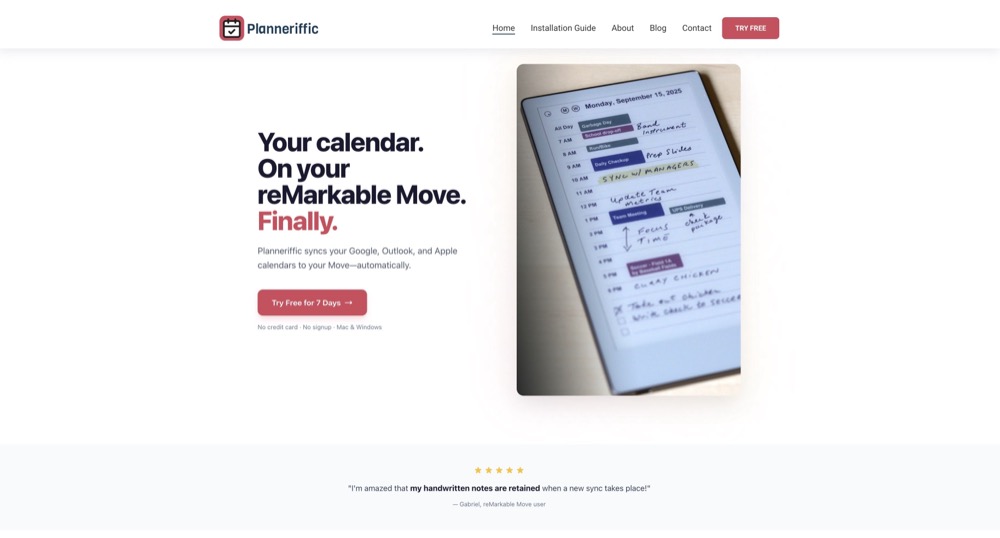
Here's a brief story of Planneriffic, a calendar sync app for the reMarkable Paper Pro Move.
The Product
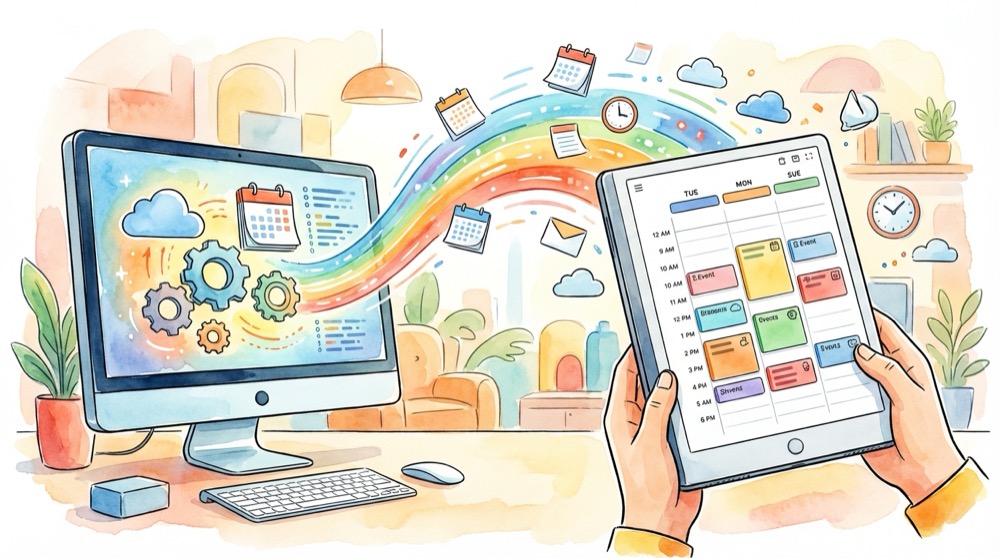
Planneriffic is a desktop app for both Windows and Mac that allows anyone with a reMarkable Paper Pro Move to sync their online calendars into a planner template.
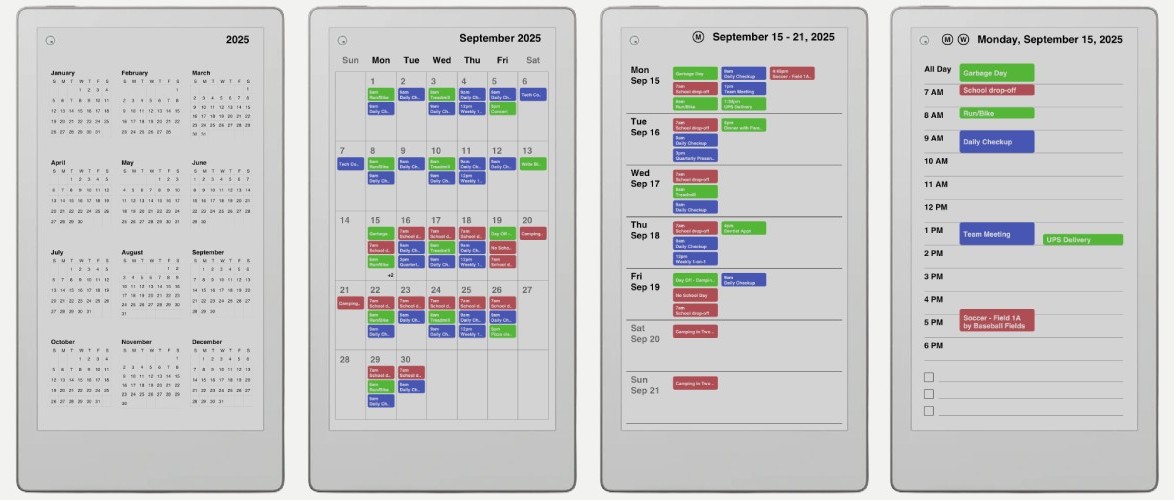
There's clickable links from the year, month, week, and day view, and calendar events are rendered in a variety of colorful ways to help you plan your day.
It's a planner template like many others, where you can take notes, annotate, plan your day. But with the sync, you no longer have to write out each day's events manually.
Why pick this one niche?
The saying is don't build products that you assume people want, build what people are actually asking for. And if you can solve a problem you personally have, even better. You'll be more in tune with what the product needs, and you're already the target user.
So while I wish I could spend time lurking on forums and subreddits to see what people wish they could change about this or that SaaS, in this case I didn't need to go very far to find a problem worth solving.
The MVP
When I first bought the reMarkable Move I realized the most time intensive piece of the daily workflow was filling out a template. There are hundreds of thousands of great planner templates, but each day you have to fill it out. All your meetings, reminders, everything.
Physically writing notes is important to me, as it helps concretize what I'm writing. But painstakingly filling out each calendar event doesn't have the same effort to reward ratio for me.
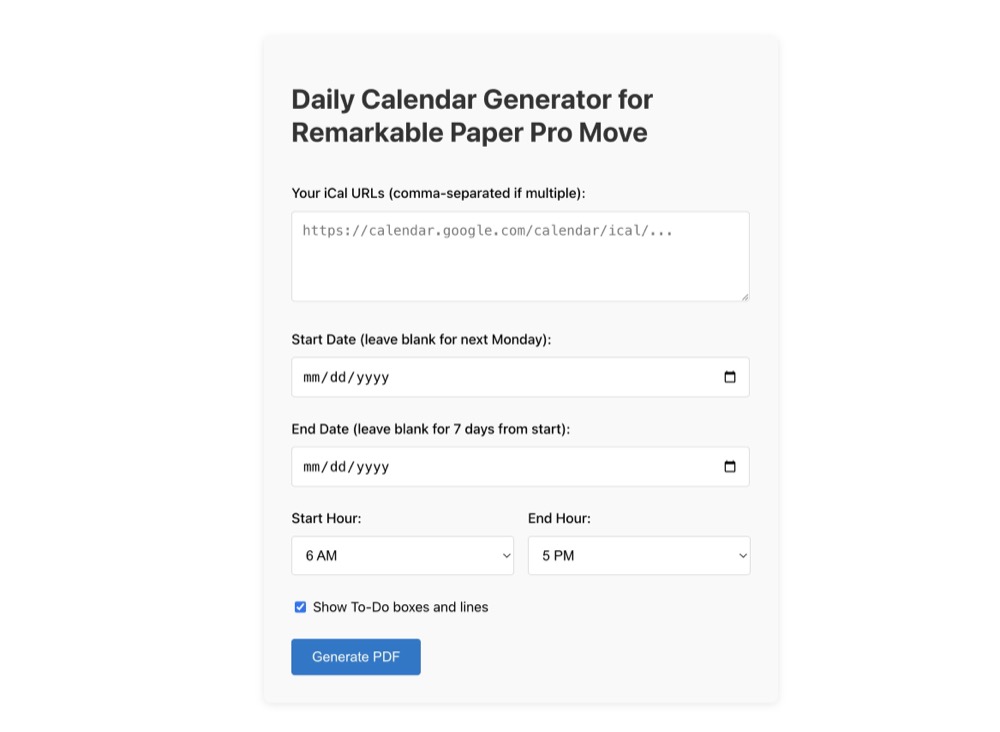
And so I started with an MVP, a local app that imported iCal events and laid them out in a daily planner template, along with weekly, monthly, and yearly views. I wrote about the original free version when I first released it.
Getting User Feedback right away
Once I had something that worked, I wrote up a blog post, cleaned up the repository, and shared it on Reddit. I wanted to see if this was a real need that people yearned for.
The official reMarkable subreddit immediately flagged the post as 'template hawking,' and told me to repost on a weekly templates thread, which I did, and where it was buried and never to be found. I talked to the mod about it being an app instead of a simple template, but it was no use.
So I tried again on an "uncensored" subreddit, where the post immediately took off and triggered incredible feedback. A lot of "I would totally pay for this if it had..."
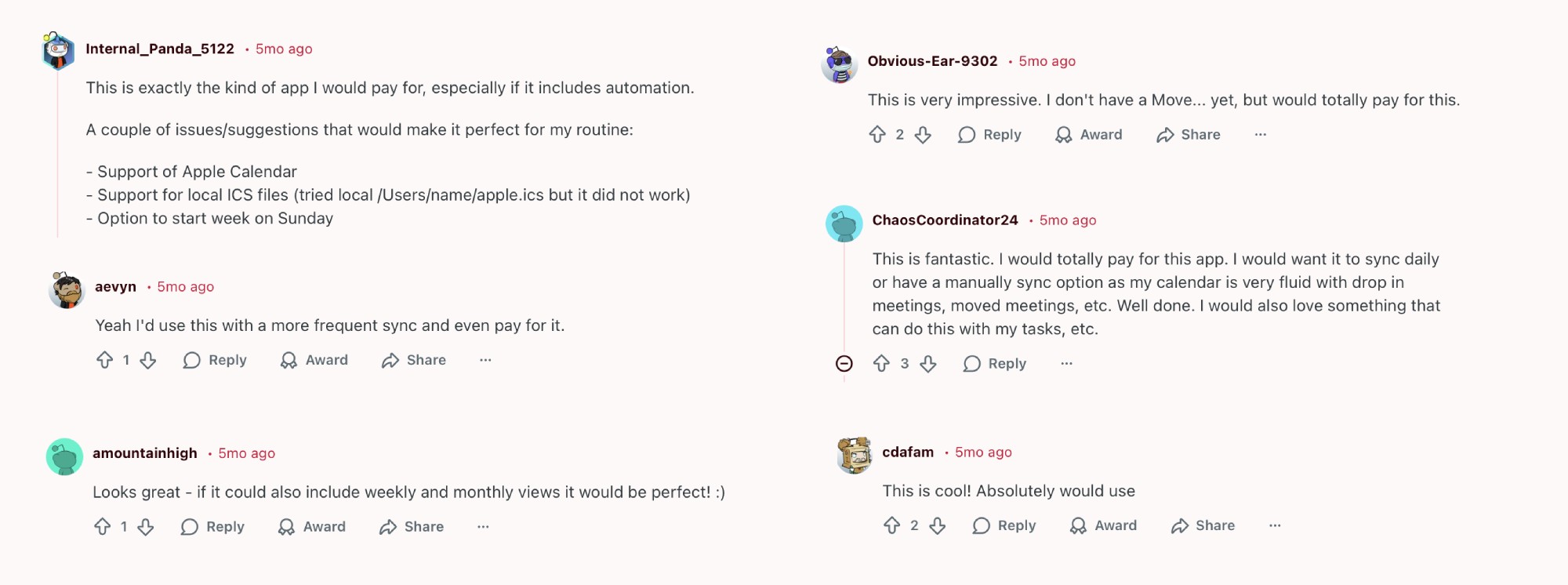
This was the confirmation that I was on to something. I looked at the other calendar sync offerings for reMarkable devices, and there weren't any for the new Move device yet. So it seemed like the perfect opportunity, hot on the heels of a new product that didn't have a fully realized third party app ecosystem yet.
Building the app
The MVP was a simple Python Flask server running locally, that took an iCal link, parsed the events, and formatted it into a PDF that was sized for the Move display. There are some formatting options, but it's pretty basic.
Since most people don't know how to clone a GitHub repo and install the requirements to run a Python app locally, I also deployed the app to a free web environment. First to Render, which had a cold start that was not user friendly, and then to PythonAnywhere, which worked perfectly. It took some extra effort to setup but it instantly loads for users, and it's free, so no harm in keeping it out there.
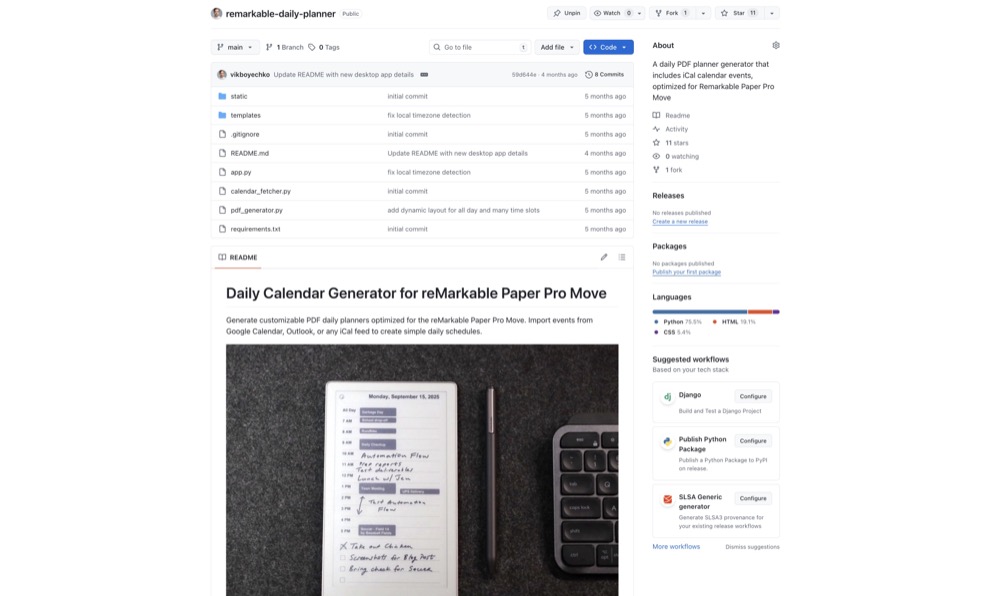
There's now about 1500 visits a month to the free PythonAnywhere app. A user would have to visit regularly to generate a new PDF with new events, and then manually upload it to their device, so maybe a few hundred repeat visitors per month. A real user base for sure, but with limited free features.
So for the app version, the main feature that I and others wanted was some kind of auto sync. This seemed impossible, since reMarkable doesn't have an established API for developers to hook into. And definitely impossible with a web app, unless I wanted to start storing people's information and calendars in a database.
But there were some clues on a few GitHub repos who had some success with a physical USB connection to their device. So with no pressure to actually build this thing, I started researching.
The Auto Sync
Although a wireless connection to sync PDFs was out of the question, I found the reMarkable Move had an SSH mode when plugged into USB. The only requirement was the device had to be switched to Developer Mode.
What is Developer Mode? It's a feature that reMarkable allows any user to enable, which opens up the limited reMarkable OS to personal customization or third party modification. The downside is there's a risk - if something happens to your device while it's in Developer Mode, you could void your warranty.
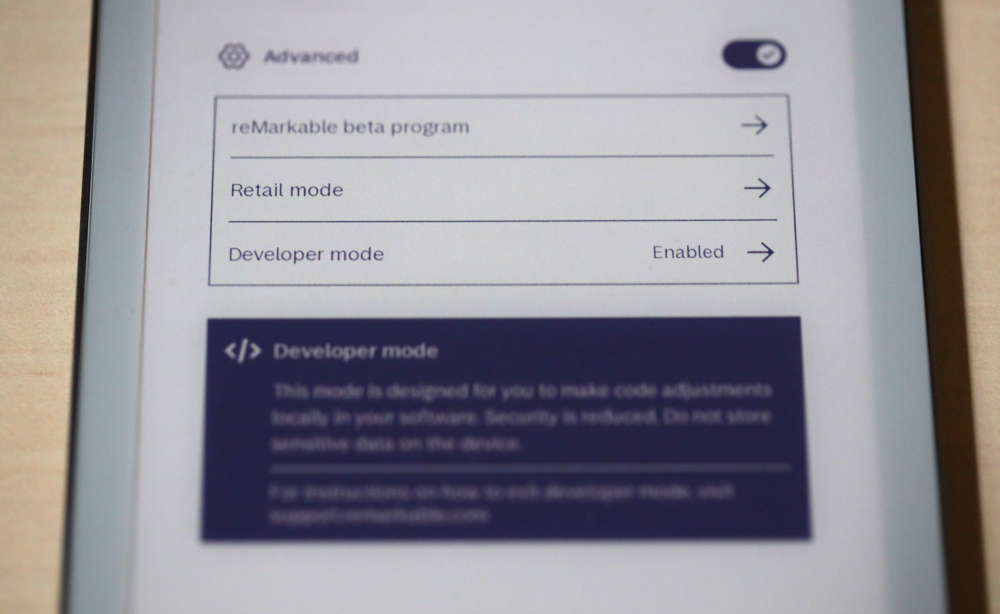
But still, it appeared the reMarkable community was somewhat open to Developer Mode. And reMarkable devices in general, though extremely limited by design, made the Developer Mode install process fairly easy. And there was always a way to go back.
So with those cards on my side, I worked with Claude Code to figure out how to automatically upload a PDF to the device, how to replace that PDF during a sync, and how to retain all the handwriting on that PDF. The impossible Auto Sync became a reality.
The app UI
The main issues that prevent a small app from being successful - apart from building something no one wants - is feature creep, or scope creep. You overengineer the first version, which pushes back your release and also makes the project a nightmare to maintain out of the gate.
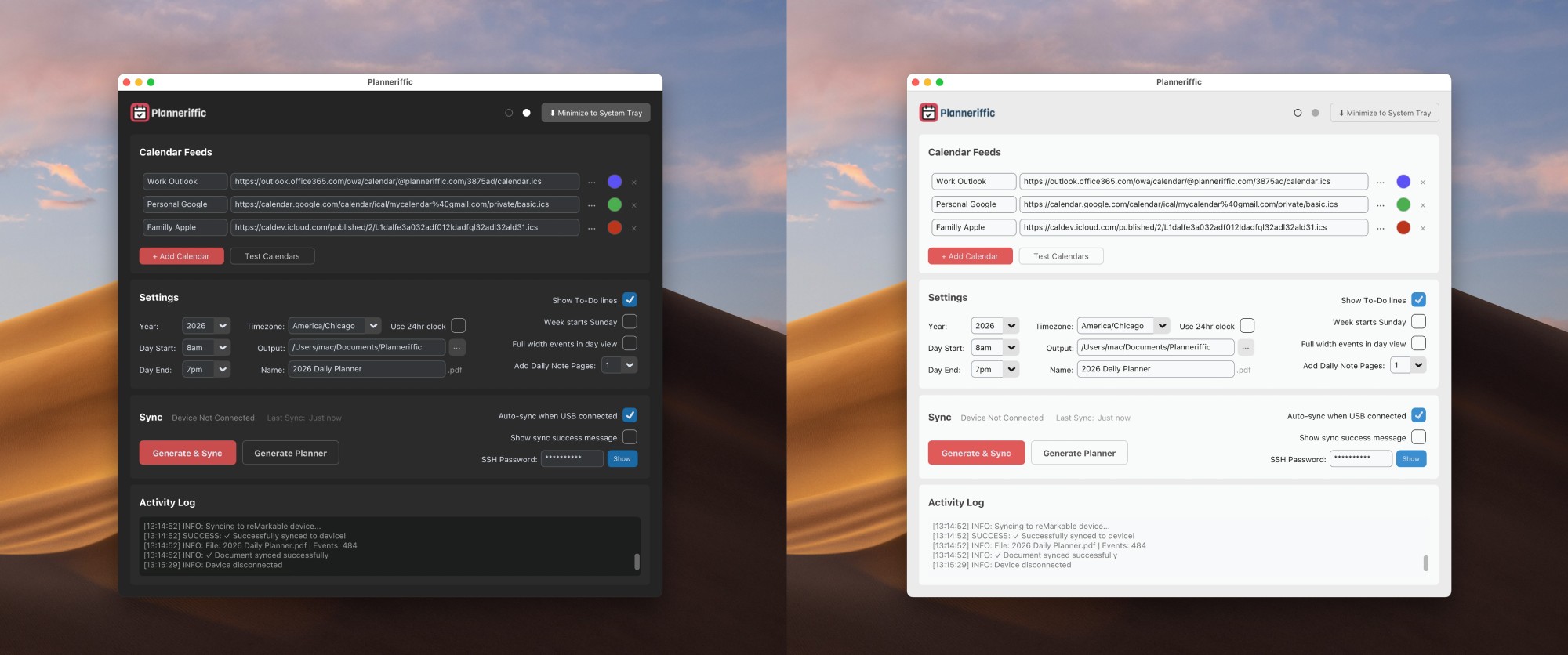
Hoping to avoid the overengineering mistake, I decided to use the classic TKinter library to build the UI. It would work on Windows and Mac, the app file size would be small, and it would focus on the feature set rather than a pretty UI.
Having experimented with an Electron app before, I was glad to keep it simple, and TKinter does have some themes and packages that help it look a little less like 1992.
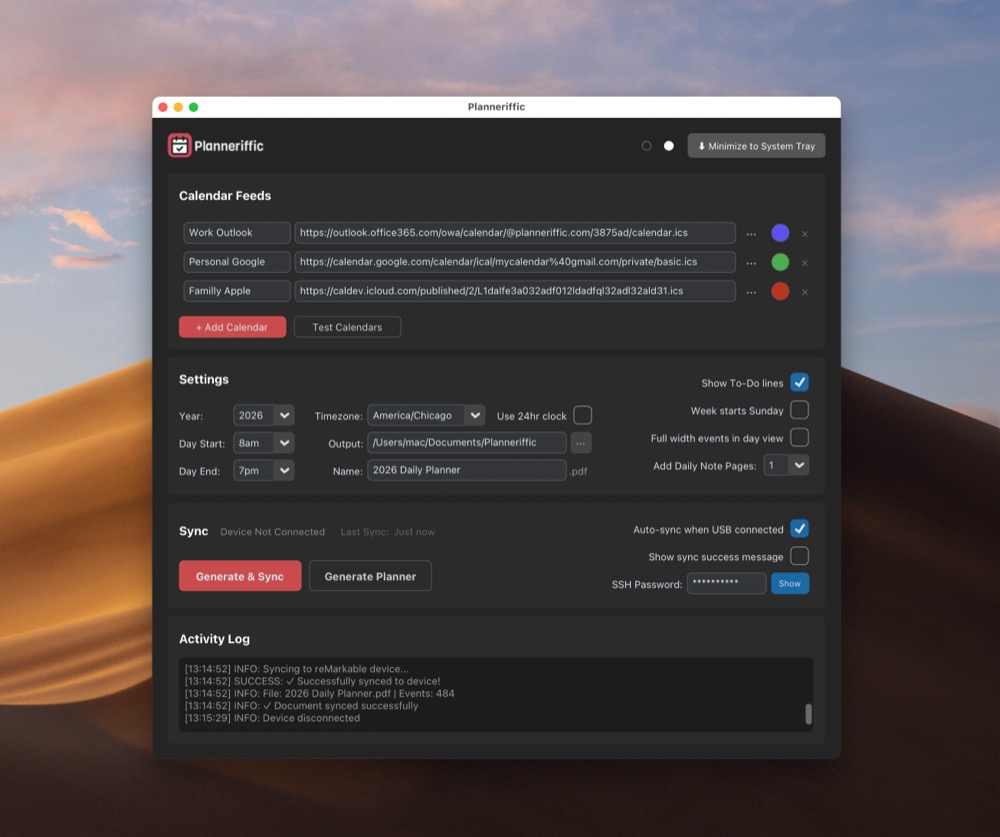
But look, it's not pretty. And this is part of the app playbook. Focus on the main use case, not the little refinements around the rough edges. And then build it out and make it prettier as you go.
With the UI in place, I added all the features that were requested in the original Reddit post comments. 24 hour time, extra note pages, calendar-specific colors, better template layouts, better parsing of edge cases like multi-day events. It was time to test it.
Gathering feedback from test users
With a desktop app, I learned quickly that just because it works on my machine, does not mean that it works on others. It's not like a browser webapp where in general the user experience is fairly reliable. So not only are there many variables with operating systems and versions, hardware, and reMarkable firmware, there were also differences with people's calendars.
I needed proper testing, not just my own experience. So I went to Reddit and DM'd a few people in the original post and asked if they'd be open to testing the app. These initial conversations were eye opening, and I'm very grateful to uncover use case, bugs, or unexpected results that I could never have found on my own.
App Signing and Notarizing
So now for the part that I least expected to be the most challenging problem during this whole process. Getting your app signed and notarized, wow what a minefield. You hear about iOS apps having a hard time getting approved, but have you ever tried to navigate the Azure Trusted Signing portal (now called Azure Artifact Signing).
On the Mac side, I had to figure out all the different developer certificates and keychains, which is about as pleasant as eating durian fruit. Plus I had to apply and pay for the annual Developer License ($99), go through the verification process, and then figure out the actual entitlements to notarize the app.
On the Windows side, it was about 10x more ridiculous. I had to create new Microsoft accounts, pass an identity check, figure my way around the labyrinth of Azure, and then start all over with the DotNet CLI for signing on a Windows laptop. And there's also a cost ($10/month). I had it all completed and working, and then had to go through it all over again when the initial trial period expired and Microsoft switched the signing process to Azure Artifact Signing.
I didn't have a Windows machine, but my neighbor had a few old laptops from his work, so I traded a box of some cheap wines for an old ThinkPad. So now I had the hardware, the certs, the code, the app for both Windows and Mac.
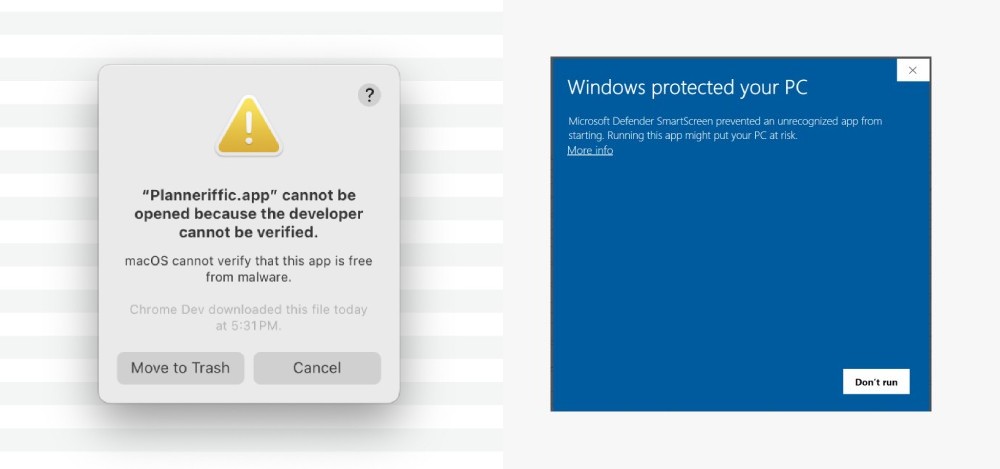
So in summary, the process of building the app on both machines, and signing them, this part is not fun. And yet, if you want people to open up your app on a Mac or Windows and not get a dreaded 'Close this app immediately and burn it because this developer is not trusted" message, then there's no way around it.
The Marketing
Once I had a fully signed/notarized working app, at least v1.0, it was time for the fun part. As you know, I love to build static websites, so that part was a joy. I liked building the how-to guide, the value propositions, the CTA, all of it.
Having a creative marketing background, I also had fun creating the visuals. I took a lot of photos of the app on my Move with a macro lens under different lighting scenarios. And I loved to design the look and feel of the site, the icon/logo, everything.
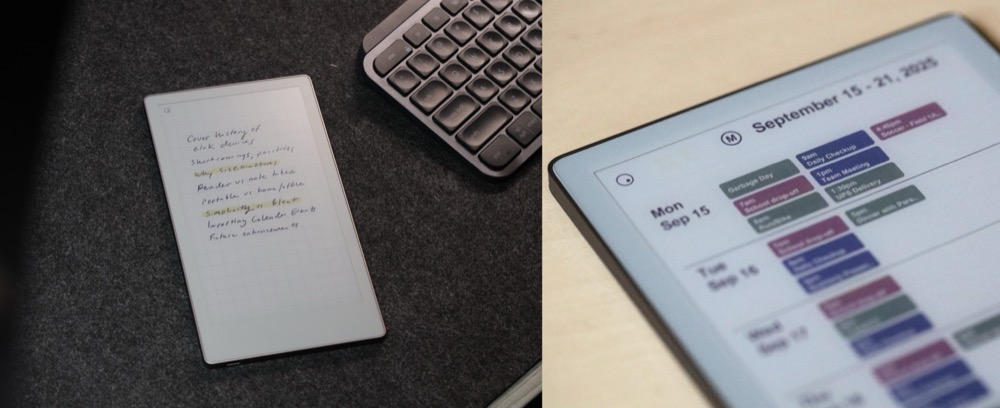
The screenshots, populating the app with demo data, the blog posts, the installation guide, the sheer amount of non coding work just to show the app in action - it could definitely be a burden for some people itching to get their app out there, but there's no way around it.
I could have made a video too, but in this case I didn't think it was really necessary as the app is not that complicated. In retrospect I think that could have helped. Maybe I'll still do that.
All the tech needs
So here's where I think people maybe aren't quite ready to face what it truly takes to share an app, if they're vibe coding their first niche solution.
To have a steady stream of organic website visitors, you need a domain with some authority. If you plan to market exclusively on social media, then you don't have to worry about Google. But for the rest of us olds, we still believe in SEO.
So unless you have years to build up domain authority, you could get a jump start by buying an expired domain. That's what I did with Planneriffic, and I wish I could give you a simple tip to this part of the process, but in all honesty this has taken me maybe two decades to figure out. But anyway, that's what I did. The domain used to be in the PDF planner space, so it was perfect.
Then you need email with your new domain. You could sign up for Google Workspace, or look for a free email service. I bought a lifetime subscription to MX Route years ago, a mail server with unlimited domains and emails, so I was good there. Then there's setting up SPF, DKIM, DMarc records, an email app, etc. I use FreeScout, a self-hosted email app.
Then you're going to want a way to prevent spam, like a honeypot. Luckily Netlify has built-in forms, so you don't need to find a paid form service. You'll also have to figure out how to setup your domain with Netlify DNS, or wherever you plan to host. That part should get easier after the first time.
Then you'll want a way to track your visitors, and specific actions, without getting into popup cookie notifications. For me this was Plausible Analytics, self-hosted for free, but of course is another rabbit hole.
I could go on with the marketing and support part of having an app out there, and there's not much you can really automate. Plus if you want to use AI agents to help here, you'll either have to pay for a service or figure that out too. Another rabbit hole.
Accepting payments via Stripe
So finally we get to the part that started this post. "All you need is a landing page and a Stripe button." Right.
To get accepted to Stripe you have to apply as an individual or as an LLC. If you choose to have your own LLC, that's a whole separate world of research that can take weeks. Plus a bank account. Business address. Registered members. Tax forms. It's endless.
But even if you go at is a sole proprietor, there is a verification process. And then you need to learn how to create a product in Stripe, generate a checkout link, setup invoices/receipts.
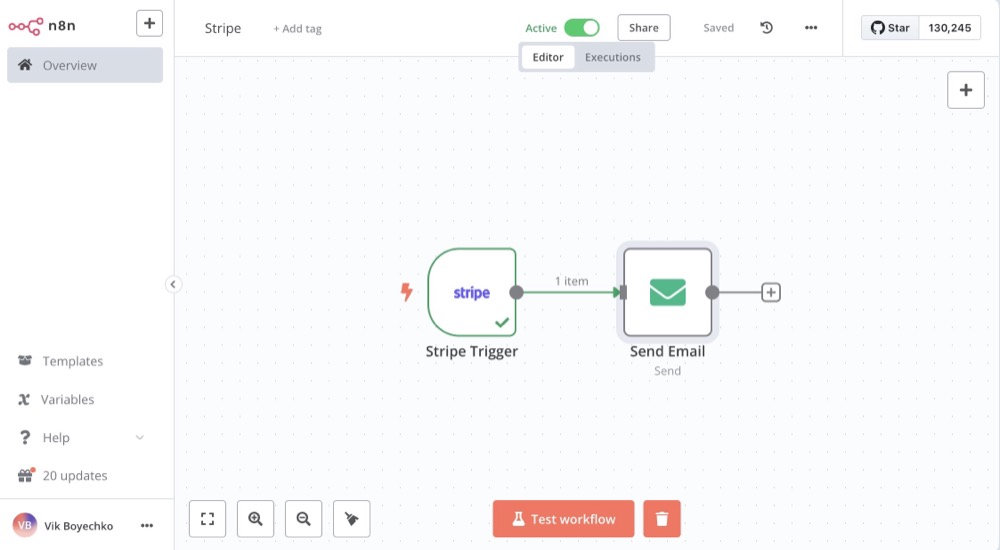
And if you want to automatically email someone when they purchase your product, you will need a way to do that via automation, like N8N. I've written about setting up auto emails with N8N and Stripe webhooks.
Or you could go with Lemonsqueezy, which allows download links at checkout. They're both under the Stripe umbrella, so the verification process is the same, but there are different features to consider.
I went with Stripe since I already had an old account with them from many years ago when I owned my own business. I also went with N8N, on a self-hosted instance, and a free Dropbox account for the download links to the apps.
You could open an AWS S3 account to host the app download links, but then you're going down that path for a few days at least. So again, start with what you have, go with free and good-enough options, and then later change/enhance/increment.
You'll also need to test everything out with a Stripe sandbox or test mode. Don't wait until your first customer to figure out whether your automated email flow is working or not.
The Release
So finally I had everything in place for Planneriffic, at least for the launch. I posted on the same uncensored subreddit and immediately got more feedback, feature requests, and most of all, a desire for a trial.
Without wanting to complicate the app right away, I decided to build a second version with a "Demo" watermark. The app was exactly the same as the paid version, but the PDFs would have a distracting layer. Could someone live with this and never pay for the full version? Maybe, but I wasn't worried about that.
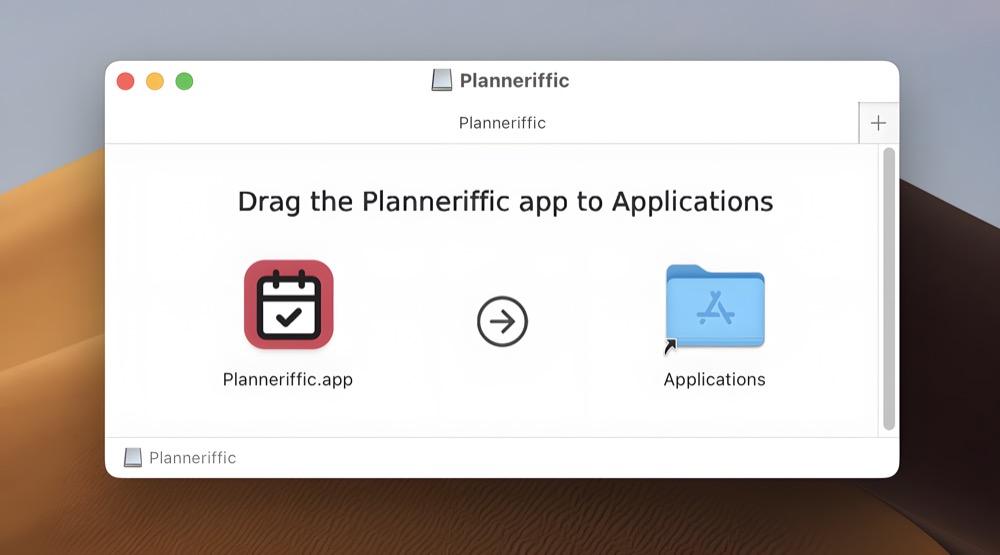
The major hurdle is the app now required 4 builds: Mac, Mac Demo, Windows, Windows Demo. And the dance between my Mac and my neighbor's old Thinkpad, signing, notarizing, zipping, uploading, emailing an update...
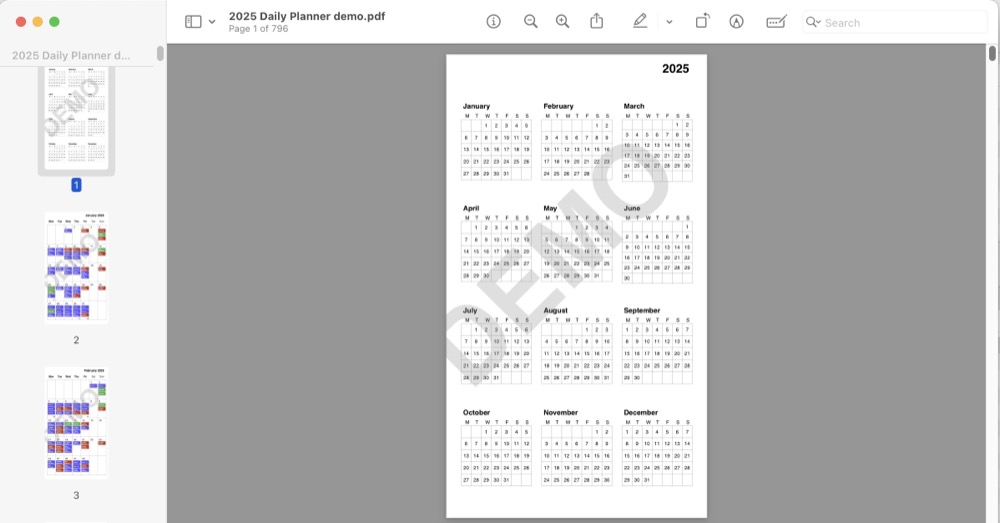
The alternative is just to say sorry, no demo or trial, and deal with refunds for people who want one. That works too. It's all part of the learning process that is super valuable when releasing a digital product.
Why a paid app?
As I said when I started this post, I am happily employed and had no expectation to make any money from this app. But I put a price on it because there is a completely different expectation and exchange between an app developer and customers when there is money involved. It changes the conversation, the commitment.
In some ways, a paid app also creates entitlement, and occasional sour grapes. But this is better than dealing with freegans. Freegans will never pay for software if they don't have to, but they will still expect as much as paid customers.
I first went with a Demo option because I wanted people to try the app, get more feedback, and build a user base. In a recent version I did figure out a way to switch to a trial version, which meant changing the website, tracking license numbers, sending that out to previous customers.
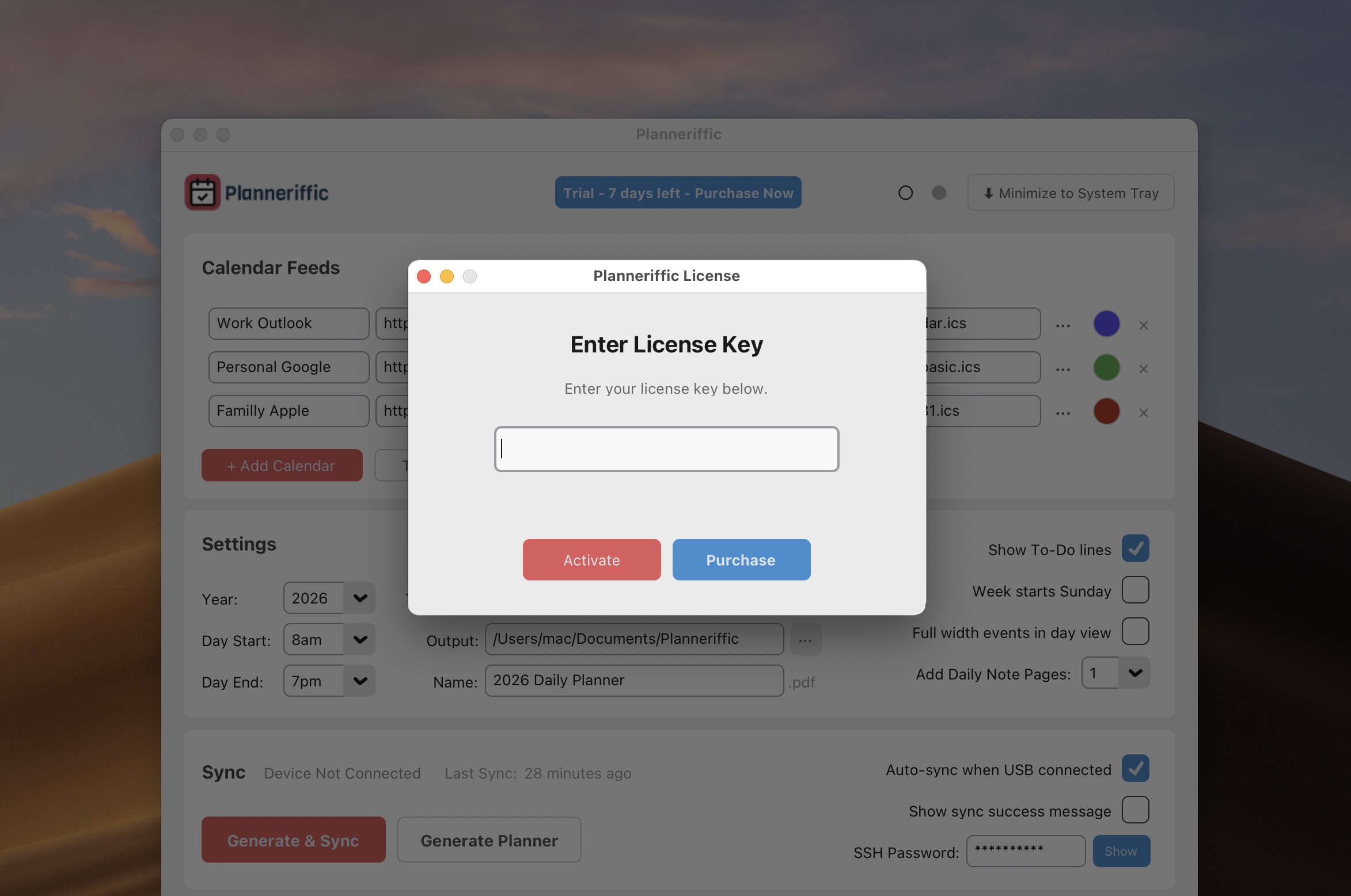
I still think paying up front for an app is better than offering trials. But I wanted to experiment to see if it would work, and mostly I wanted to reduce the amount of builds for each version. We'll see if I stick with trials.
The next steps
So after a few version revisions, user feedback, and bug fixes, I'm ready to start thinking about the next direction for Planneriffic. The last release, which introduced the trial, also improved the UI with a light mode, better organization, better PDF outputs, and some other small improvements.
But for the next version, I want to completely redo the app UI and offer more planner template options. Over Christmas break I started digging into reMarkable users and learned that many of them have ADHD, and for them the various reMarkable products are a lifesaver. The reMarkable OS and ecosystem is 1/100th the messy world of Android E Ink devices, which is essential to people who are looking for simplicity and organization.
I don't know exactly how I'm going to do it, but a recent user reached out recently about an issue, and I told her about my plans for the app. To my surprise, she said she actually had ADHD, and that turned into a little user interview that I wasn't expecting, but am grateful for. Talking to users is an endless source of inspiration for further development.
Most of all, I have learned so much during this process, even after years of building products for enterprise. I have very limited time to spend on Planneriffic after my day job, along with my other interests, and blogging, and family and kids and all that.
But after committing to following the app playbook, and having reached a small community of users who appreciate the app and use it to plan their lives, I get a ton of satisfaction every time I sit down and work on this app a little more.
So would I recommend releasing an app, knowing just how much more can go into it than just coding a niche solution? Yes, absolutely, even if you don't make any money from it.
Would I recommend making a desktop app, knowing how insanely complicated the app signing/notarization process can be, along with keeping up with OS differences, hardware, installation requirements?
People seem to be getting subscription fatigue, so I am all about one time purchases for desktop apps. But I don't know. Is it worthwhile for the developer? That I'm not so sure of yet. I'll report back in a while.
For now I feel satisfied for getting this app out into the world, finding something that solves a real problem for real people, and learning some lessons along the way.