How to add image captions with markdown and a static site generator
After decades of blogging and writing for various tech publications, last year I moved completely to writing in markdown. It's so freeing and works well with many static site generators, and will continue to work if you change stacks later.
But there are some limitations out of the box, such as customizing styling for specific elements. You can use plain HTML to add CSS classes to whatever you're customizing in markdown, but I find that gets me out of the flow of writing.
Instead, you can simply tell your static site generator to look for a special something in your blog post, like a character or symbol, and then transform the element however you'd like.
One thing I've always wanted is a shortcut to writing image captions in markdown, so I figured out a way and want to show you how if you're also interested in creating image captions in markdown. But you can also use this approach for any other custom styling.
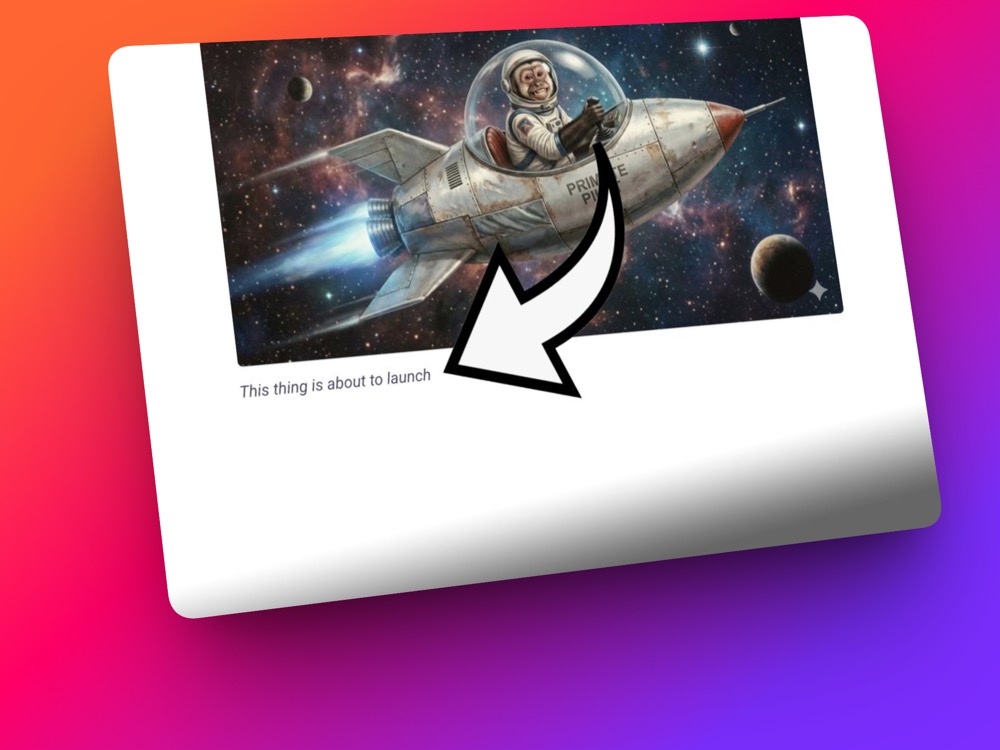
Here's an example:

Why is a caption necessary instead of a paragraph?
The purpose of this is twofold: 1) to style some text to appear below an image in a particular way, rather than a paragraph following the image.
And 2) to use proper accessibility standards, for your web visitors to know this text is an image caption, no matter what method they're using to read your post.
So instead of this:
<p><img src="/images/spaceship.jpg" alt="monkey on a spaceship" /></p>
<p>This thing is about to launch</p>
We get this:
<figure>
  <img src="/images/spaceship.jpg" alt="monkey on a spaceship" />
  <figcaption>This thing is about to launch</figcaption>
</figure>
Use a special character in markdown to designate a caption
You can use any character or symbol you'd like, but I decided to go with the ^ caret, because I know I won't ever use it elsewhere in my blog posts. So if my static site generator sees ^, it knows to turn the following text into an image caption.
But to be safe you might want to use something even less likely to show up, like ^^ for example. I know there are some markdown parsers that use the ^ caret for footnotes. Anyway, it's up to you what you use.
So in my markdown I will have something like this:

^Everyone's always wondering Where's Waldo but no one ever asks HOW's Waldo?
So there's an image syntax, and then immediately following it is the caption.
Use the Static Site Generator to convert the special character
Now we need the static site generator to convert the markdown caption into an html caption. I'm using 11ty (you can read more about my stack here: Building this site with Decap CMS, 11ty, Nunjucks). But you can customize this to other static site generators, whatever you like to use.
Here's what I added to my eleventy.js:
/**
 * IMAGE CAPTIONS USING THE ^ PREPEND ON A LINE OF TEXT AFTER AN IMAGE
 */
eleventyConfig.addTransform('imageCaptions', function (content, outputPath) {
  if (!outputPath || !outputPath.endsWith('.html')) {
    return content;
  }

  return content.replace(/<p>\s*(<img[^>]*>)\s*\^([\s\S]*?)<\/p>/g, (match, img, caption) => {
    return `<figure>
                ${img}
                <figcaption>${caption.trim()}</figcaption>
            </figure>`;
  });
});
What does the Regex do?
Let me break down what's happening in that regex pattern, because it looks intimidating at first glance but it's actually doing something pretty straightforward.
The pattern /<p>\s*(<img[^>]*>)\s*\^([\s\S]*?)<\/p>/g is telling 11ty: "Find me every paragraph that contains an image followed by a caret, and give me both pieces so I can rebuild them differently."
Here's what each part does:
<p>\s* - Find a paragraph tag, and skip over any whitespace that might follow it. Markdown parsers love throwing in extra spaces and line breaks, so we account for that.
(<img[^>]*>) - This is the first capture group (that's what the parentheses do). It grabs the entire image tag. The [^>]* part means "capture everything that's not a closing bracket" - so it'll get the whole <img src="..." alt="..." /> no matter what attributes are in there.
\s*\^ - Skip any whitespace again, then find our special caret character. The backslash before the caret is important - it tells the regex "I mean a literal ^ character, not the regex special meaning of ^" which normally means "start of line."
([\s\S]*?) - This is the second capture group, and it's grabbing our caption text. The [\s\S] means "match literally any character, including line breaks" and the *? means "keep matching until you hit what comes next, but don't be greedy about it."
<\/p> - Finally, find the closing paragraph tag. Again, we need the backslash to escape the forward slash.
The /g at the end means "global" - do this for every match in the content, not just the first one.
So when the regex finds a match, it hands us two variables: img (everything in the first capture group) and caption (everything in the second capture group). Then we just rebuild it as a proper figure with figcaption, and 11ty swaps out the old paragraph with our new markup.
The beauty of this approach is that it happens at build time, so there's no performance hit on the actual website. And if I ever decide I don't like the caret anymore, I can just change it in one place and rebuild the site.
That's it - now you've got semantic, accessible image captions without breaking your markdown writing flow.