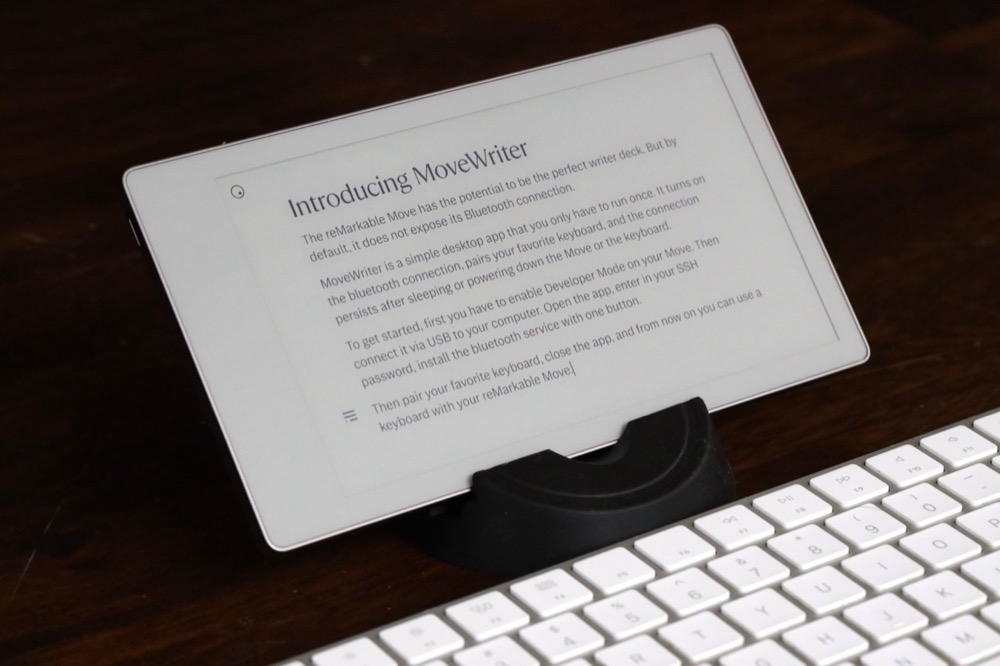
MoveWriter: Enabling a Bluetooth Keyboard on the reMarkable Move
Writing is deeply satisfying to me, and as a tech gadget fanatic, the writing device itself has been a lifelong quest for the perfect tool. Recently I found my way to what might possibly be the best writer deck ever, or at least the makings of one.
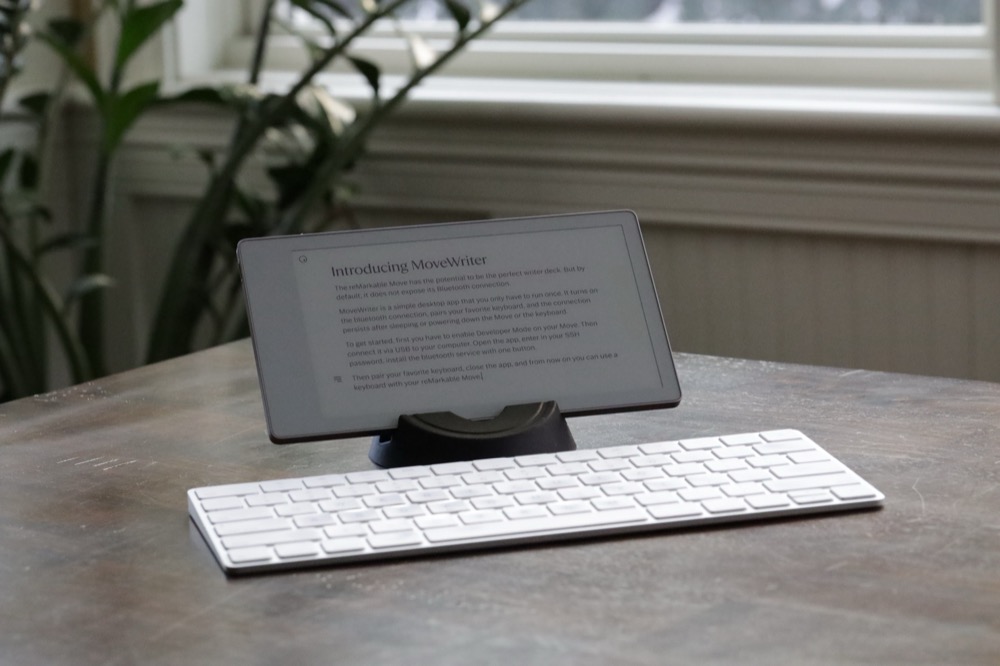
It involves an Apple Magic Keyboard, and a reMarkable Paper Pro Move E Ink device. Which doesn't have Bluetooth.
But as it turns out, it does. And with the help of Claude Code, I was able to root the device to create a persistent Bluetooth pairing with the magic keyboard.
In one frenzied weekend I went from an idea to a fully working app, for both Windows and Mac, that enables every Move owner to pair a bluetooth keyboard.
Over another weekend I tested the app, published an open source version on GitHub, and built the executable apps for both platforms. I even set up a website to host the app and the source code.
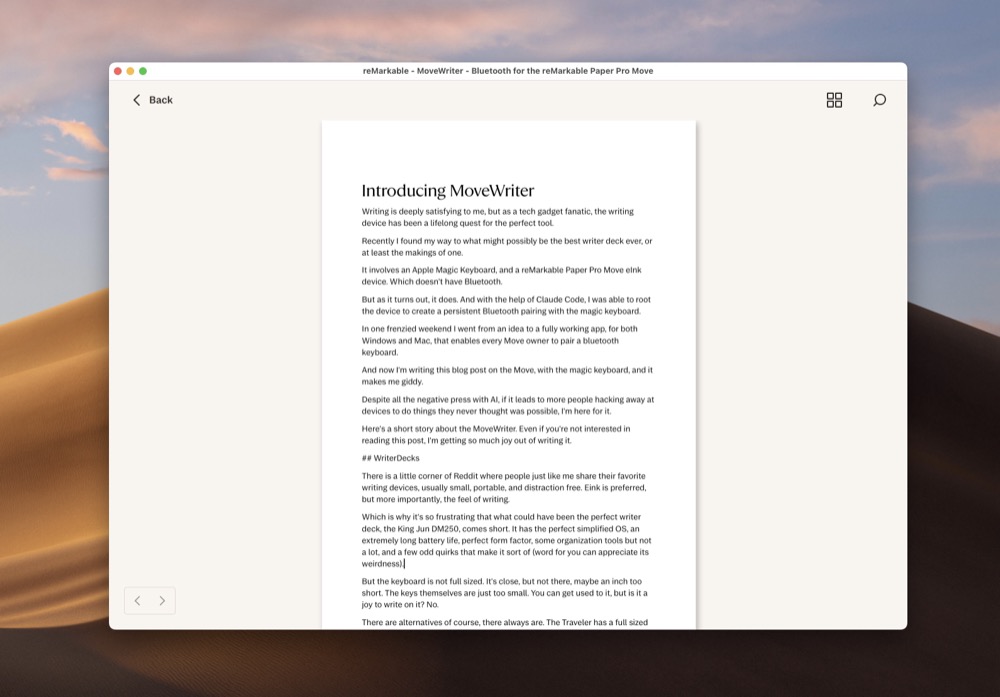
And now I'm writing this blog post on the Move, with the magic keyboard, and it makes me giddy.
Despite all the negative press with AI, if it leads to more people hacking away at devices to do things they never thought was possible, I'm here for it.
Here's a short story about MoveWriter. Even if you're not interested in reading this post, I'm getting so much joy out of writing it.
The writer deck quest
There is a little corner of Reddit where people just like me share their favorite writing devices, usually small, portable, and distraction free. E Ink is preferred, but more importantly, the feel of writing, the vibe, the device, they are all part of a sought-after flow that encourages writing.
Which is why it's so frustrating that what could have been the perfect writer deck, the King Jim Pomera DM250, comes short. It has the perfect simplified OS, an extremely long battery life, perfect form factor, some organization tools but not a lot, and a few odd quirks that make it sort of endearing.
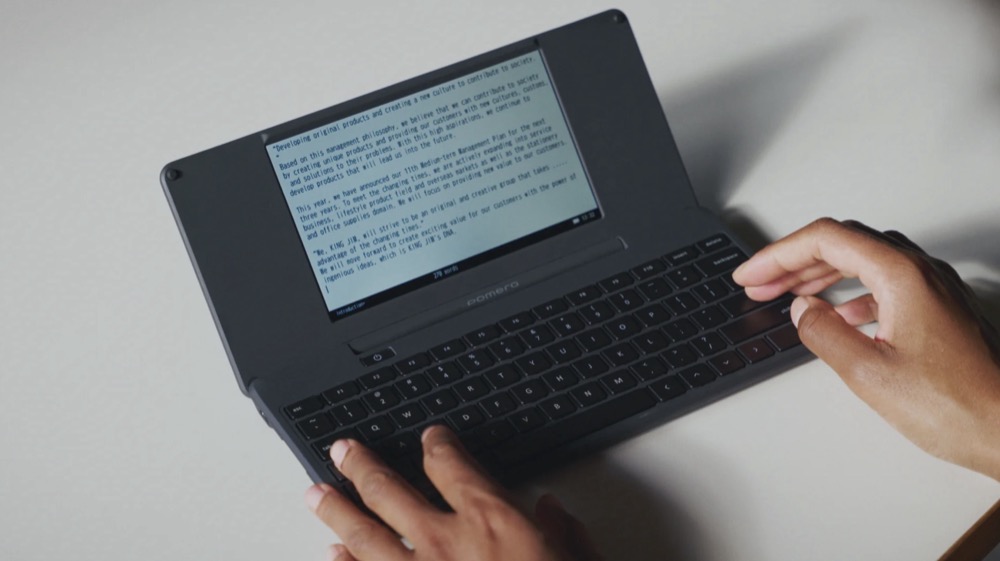
But the screen isn't E Ink, and more importantly, the keyboard is not full sized. It's so close, but not quite there, maybe an inch too short. The keys themselves are just too small.
You can get used to it, but is it a joy to write on it? Sometimes, sometimes not. I still love mine, and I bought it with the early bird Indiegogo discount, before the retail price doubled. But I'm always seeking something better.
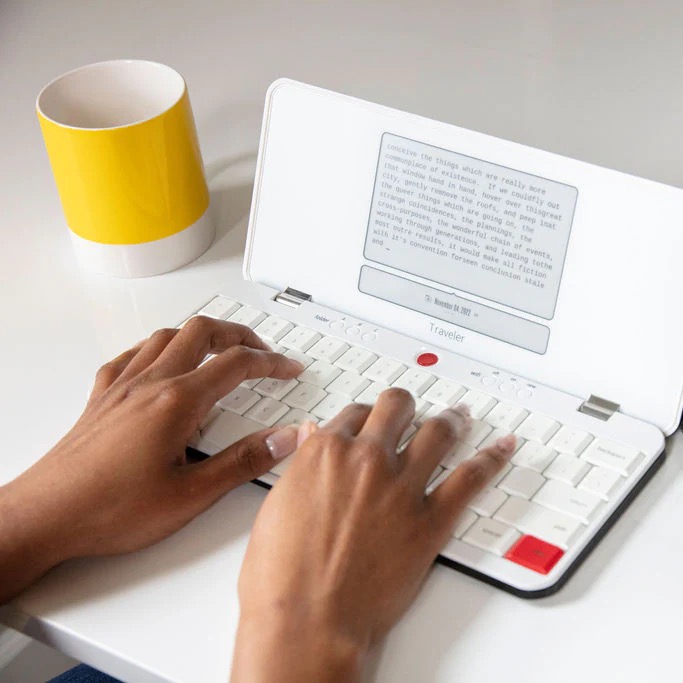
Another contender is the Freewrite Traveler, which has a full sized keyboard and a small E Ink screen. I've been lusting after one for years, but waited too long and now it's a little too expensive for a dedicated writer deck. I also have heard the screen lag isn't great, which is typical with E Ink.
And so the WriterDeck community continues to come up with all sorts of contraptions, or they recommend ancient laptops, or tablets, phones and ereaders connected to bluetooth keyboards. It's actually quite amazing to see the creativity and dedication to finding the perfect writing device.
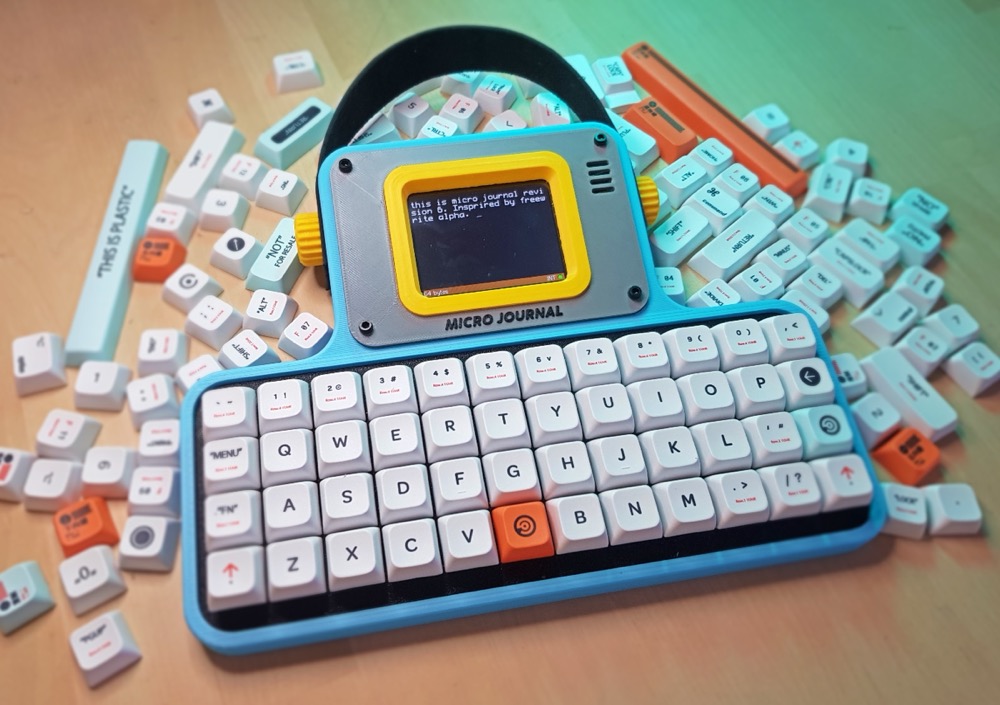
One legend of the WriterDeck community is Un Kyu Lee, who designs and hand builds custom 3D printed writer decks, like the Micro Journal Rev.6 pictured above. Check out his YouTube channel for some amazing videos of the design and build process. You can purchase his works of art on his online shop.
My own journey
Before college I had built my own PCs, was heavily involved in 3D modeling and design, and really loved the DIY internet ethos. But my tiny shared dorm room and college schedule had only so much space for tinkering, so I traded it all in for standard Sony Vaio laptop (I still fit an electric guitar and tube amp under my dorm bunk bed, but that's a different story).
Within a week I already had a bug to change up my writing tool. So I installed an app that played a typewriter sound every time I typed a key. And the touchpad was turned into a finger Theremin. My roommate did not like me.
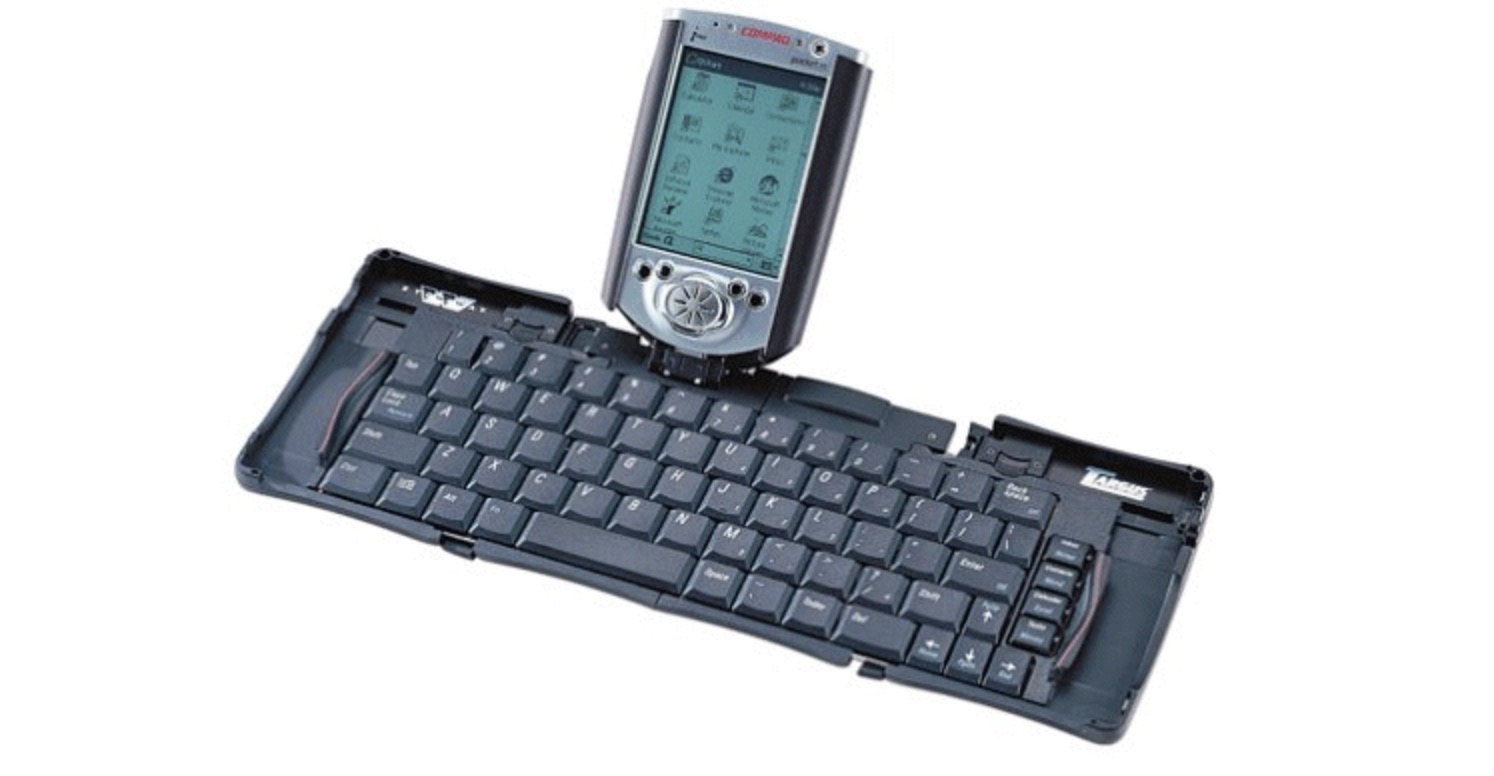
Later on I found my dad's forgotten old Compaq iPAQ PDA in a drawer, which had a tiny folding keyboard. It was absurd, but with absolutely no distractions, I could sit in the library and write for hours, deeply focused on tiny words.
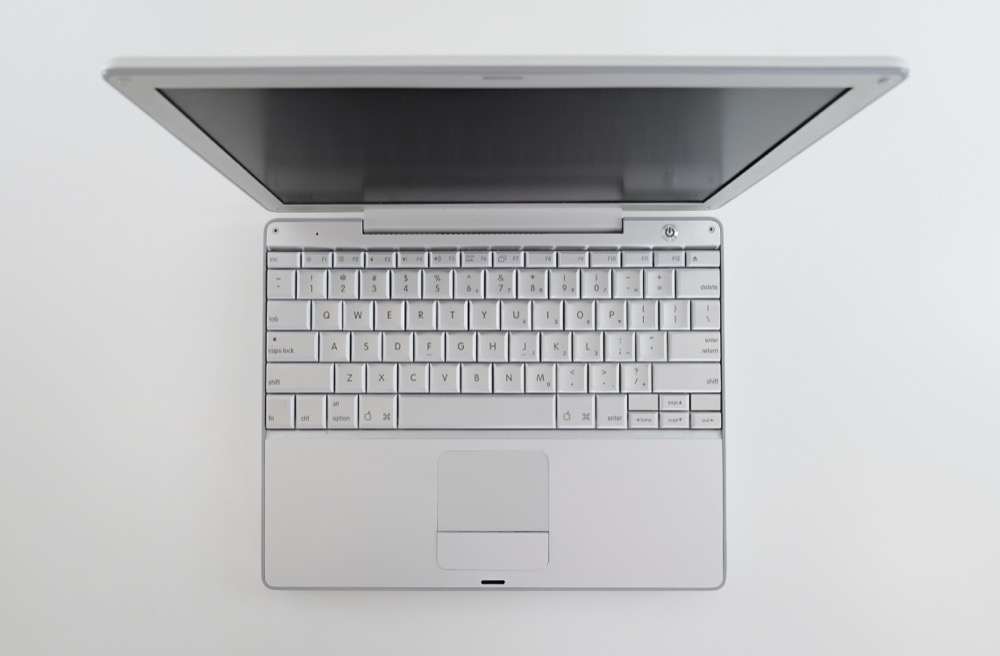
And then when my Sony Vaio laptop screen broke, and I couldn't fix it with my horrible soldering skills, I drove 8 hours round trip from Portland to North Seattle to buy an Apple Powerbook G4 12-inch laptop.
Something about those scissor-switch keys hit it home for me. The Powerbook G4 ended up paying for my tuition because I loved writing on it so much. How? Let me tell you, but first let's admire this beauty.
In my junior year of college I got a side job as a transcriptionist for a San Francisco company. A few nights a week I would sit in a coffee shop and not get up for 4-5 hours, transcribing focus group sessions about the latest tech products coming out of Silicon Valley.
It was thousands of words each night transcribing conversations, and on the nights when I wasn't transcribing I would be writing long essays for school. Occasionally I would drive to the Oregon Coast and sit in my 1992 Honda Accord, typing away, sometimes looking up at the ocean waves. When WriterDeck enthusiasts talk about the device unlocking a flow state, this is what they are talking about.
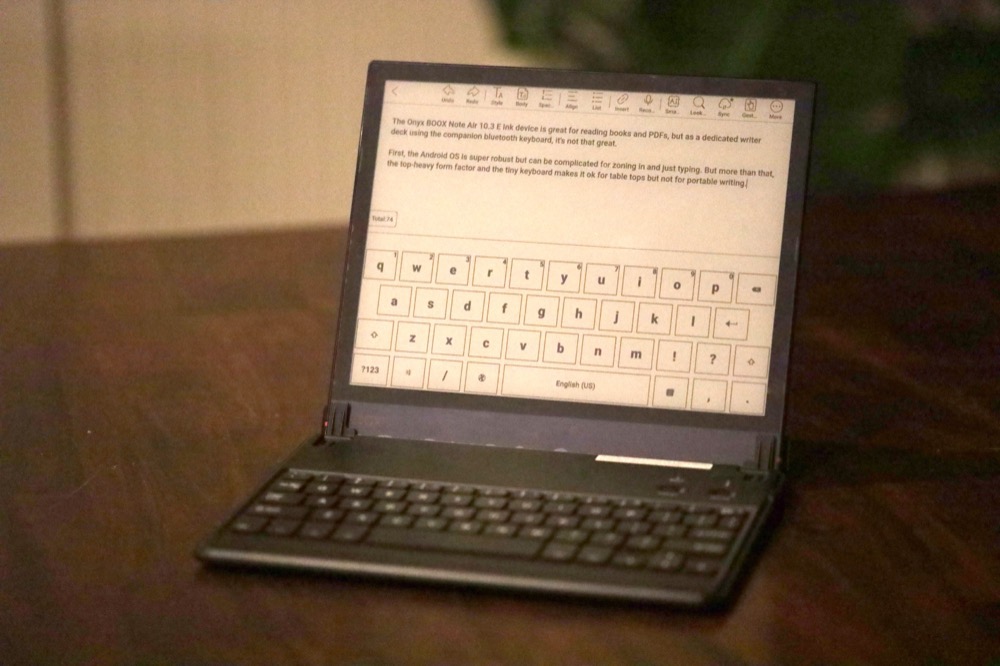
Many years later I found out about E Ink and tried to make them work as a writing device. I still have an Onyx BOOX Note Air, but paired with a tiny keyboard and a busy OS, it just doesn't do it for me.
I just wish I could use an Apple Magic Keyboard with an integrated E Ink display. To me, that would be deeply satisfying. Maybe not quite like the Powerbook G4 typing experience, but with a better, simplified OS and a small E Ink screen, in an integrated shell, it would be perfect.
How I enabled Bluetooth on the reMarkable Move
So back to MoveWriter.
After some experience with building the Planneriffic app, I knew a little about the reMarkable Developer Mode and SSH-ing into the device. It's sort of wild that anyone can access it, considering the closed system that makes the reMarkable so elegant.
I found this Reddit post where another Move owner had figured out that there actually was a way to enable a bluetooth keyboard on the Move. That was an amazing discovery. It turns out the device does have a bluetooth driver, but it's not activated.
The legendary reMarkable Guide also has some technical information about the bluetooth driver on the reMarkable Paper Pro Move. This was super helpful.
But changing some settings via an SSH session is one thing. Making a change persistent is another.
With a little code, one could turn on the bluetooth module and pair a keyboard. One could even figure out how to load a script on boot, to make the bluetooth pairing persist. This was going to be an interesting weekend.
Writing the pairing scripts
Just like my Planneriffic app, I worked with Claude Code to figure out all the commands available in the reMarkable Move OS. This is something that would have taken me months or years to figure out on my own.
During rigorous testing, we figured out how to enable the bluetooth service, search for available bluetooth devices, pair the MAC address, and persist it across multiple power cycles.
I tried a few different keyboards, which led to more testing, hardening, re-testing. I tested pairing and unpairing many times, installing and uninstalling the service. We found a variety of edge cases. It was really fun, actually.
And then the payoff, the moment it started to work reliably. When the kids left the house for a few hours, I immediately set up a little photo and video shoot.
Building the desktop app
Just like Planneriffic, I made a simple TKinter UI that was user friendly. But this time, the goal was to only have to use the app once, to install the scripts, pair the keyboard, and then never have to open the app again. Ideally.
In testing the Windows version, we learned there were some differences in the Unix commands and how they were formatted from the Mac version. More testing, more hardening.
Eventually I got the app locked down to a working state, I put the app on a public GitHub repo, and then I began working on the app build.
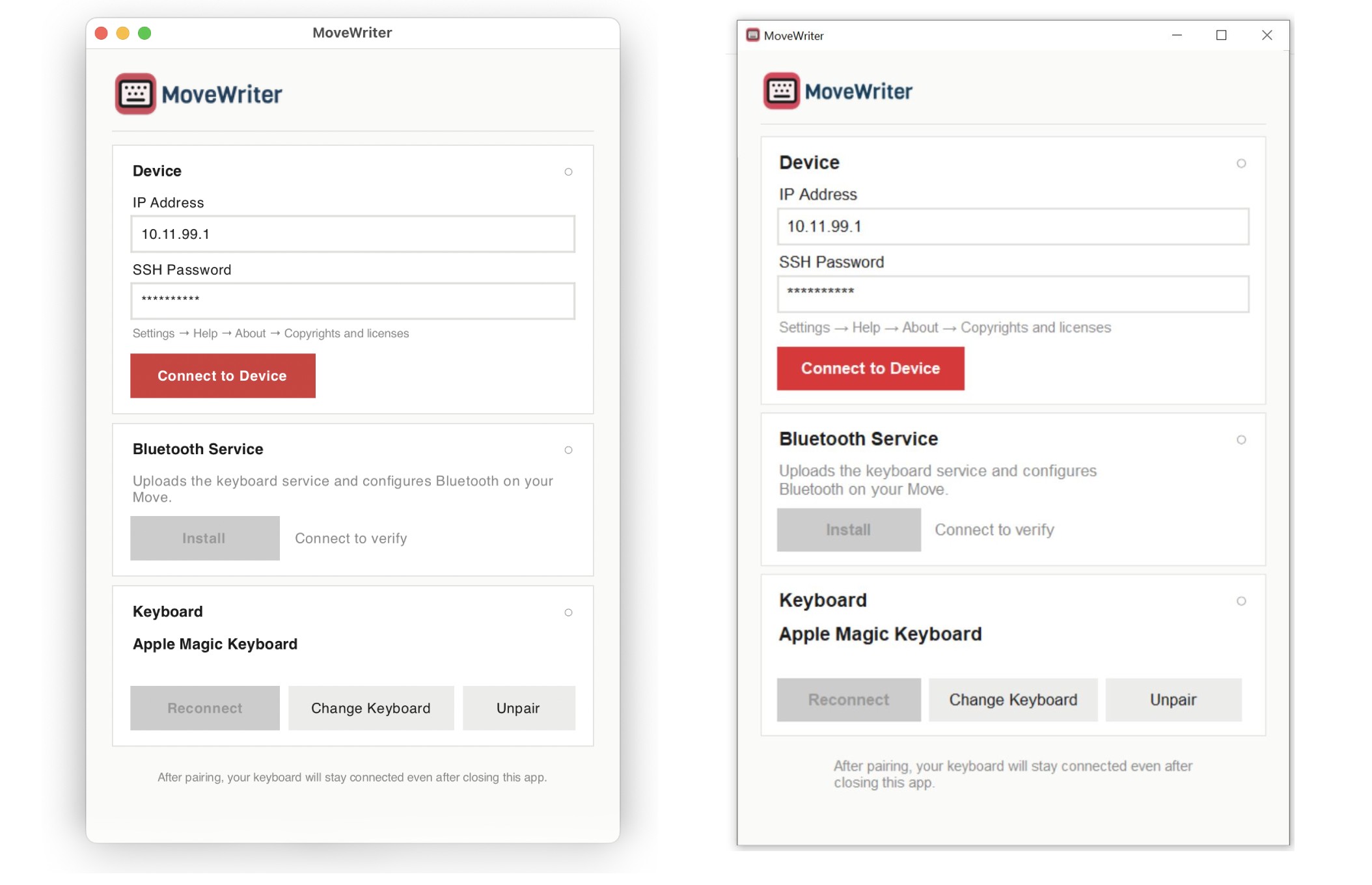
So now we come to the executable Windows/Mac app. If you read my post about launching the Planneriffic app, you know even a simple website with an app download has a tremendous amount of steps involved.
But here's the thing, after you do it once, it gets easier. I knew app signing/notarization was going to be a challenge, but this time I had everything in place. The developer certificates, the Azure and Apple developer accounts, all the environment dependencies, the DMG graphics, the icon generator, and so on.
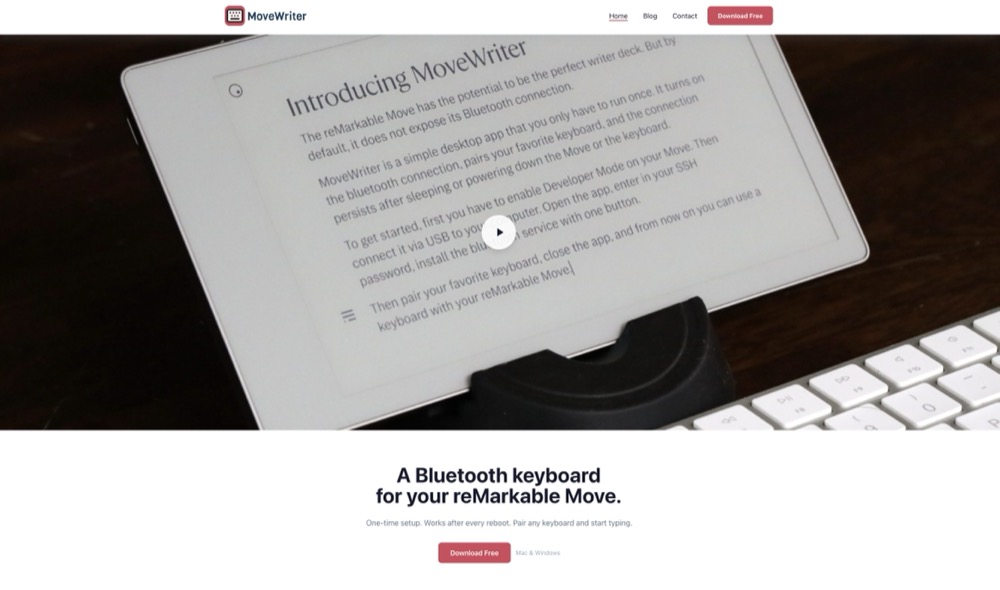
And even though there are hard costs to releasing and maintaining MoveWriter, I think every Move owner should be able to access it. So the source code is available, and on the website the Windows and Mac apps are completely free to download.
Why the Move is the ideal writer deck
Earlier in this article I mentioned the King Jim Pomera DM250 and the Freewrite Traveler as two of the best writer decks out there, but they're both about $500. So why the reMarkable Move, when it's not any cheaper?
Well for one, the Move has so much else going for it than strictly a writer deck. Like reading books, note taking, organizing your daily schedule. But none of those features are distracting, thanks to the beautifully designed OS.
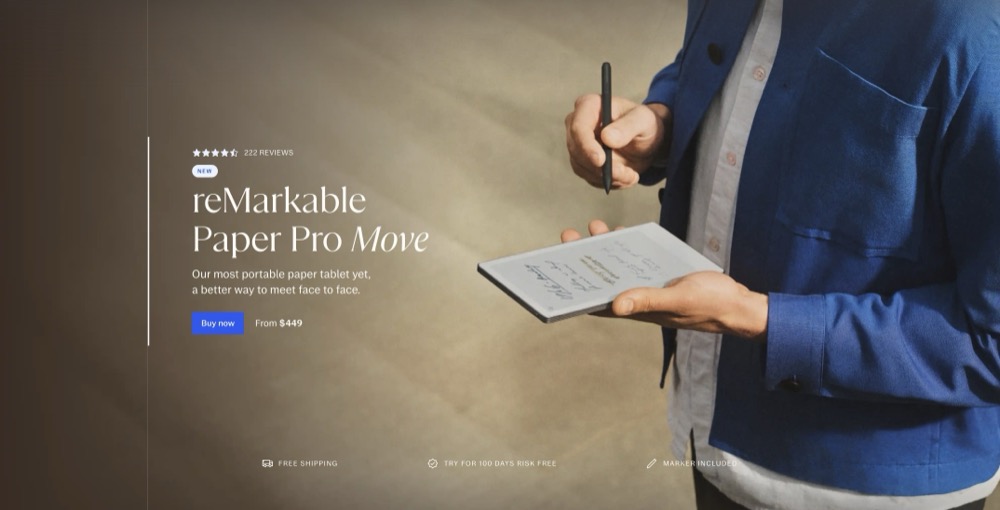
So if you can have both the Move as an organizational device, an ereader, a note taker, and also a writer deck... what more could you want?
But the other reason is the Move's E Ink screen is actually really good for writing. There's very little lag while you're actually typing, though if you pause for a couple seconds, it will "catch up" and refresh the screen. More reason to keep typing and don't stop.
By default a new notebook on the Move is set to a narrow column, but you can change it to medium or wide, which I prefer.
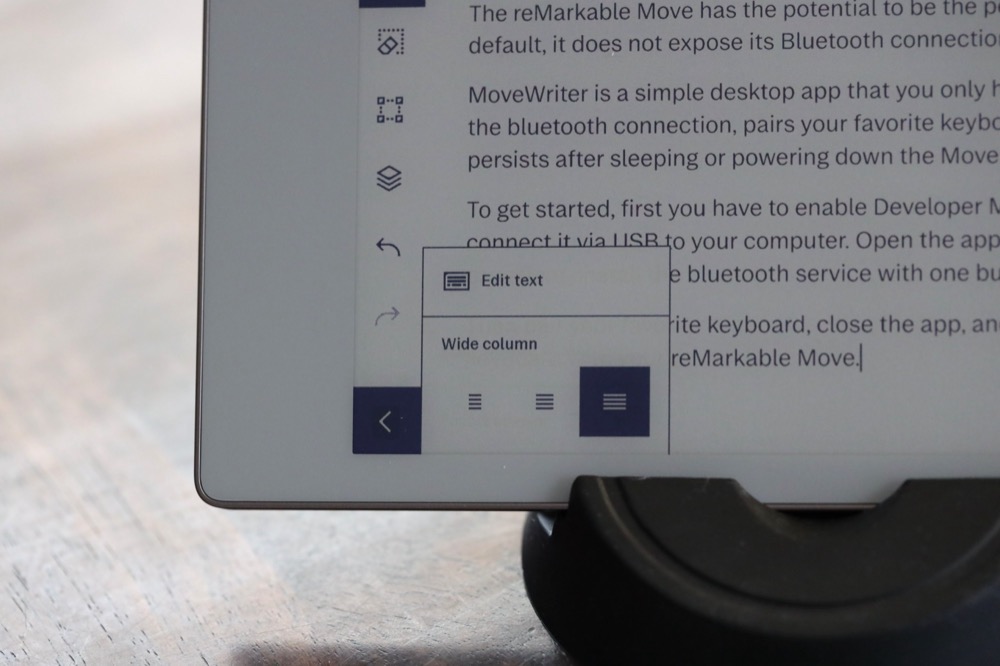
And if your Move is on and connected to the magic keyboard, as soon as you open a notebook and start typing it will automatically take you to the end of the document. In fact, if it hasn't been too long since the Move went to sleep, you can start typing and it will wake up and take you to the end of the notebook.
If it's been powered down or asleep for a while, you will need to turn off your magic keyboard and turn it back on again to wake up the bluetooth pairing.
And to get your text from the Move to your computer, you can use one of the different sync options. For me, opening the desktop reMarkable app and copying the text from there is the easiest.
Building the perfect writer deck
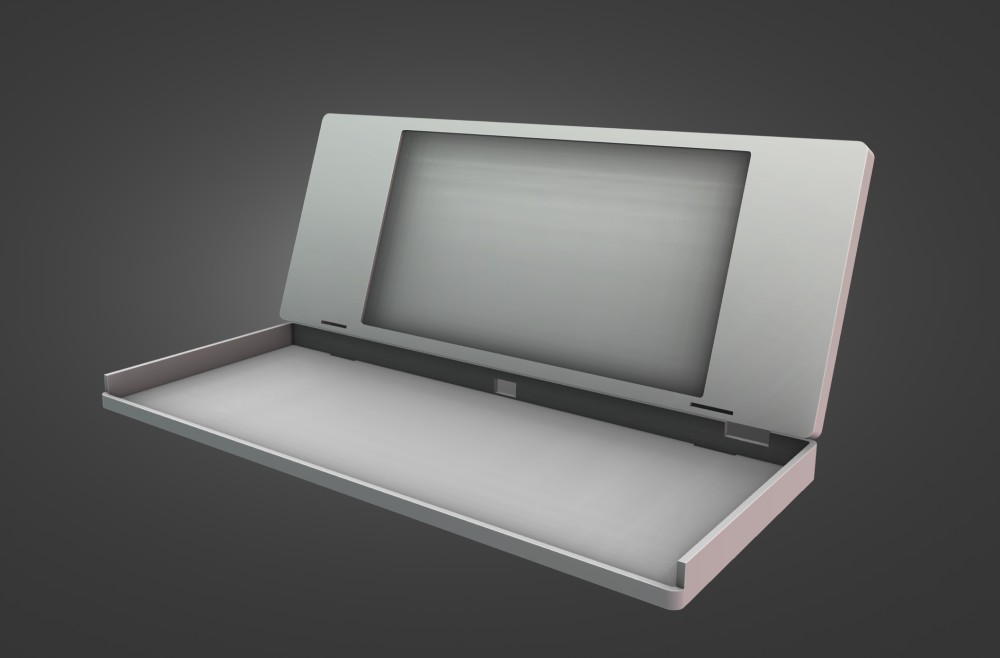
If the bluetooth connection between the Move and the Apple Magic Keyboard is the first step in the process, then the actual writer deck shell is the next one.
I want to design and 3D print something that will perfectly hold the Move and the magic keyboard. It has to enable Move users to quickly remove their Move from the shell, and use the device like they normally use it, writing on it, reading on it. But it also has to be comfortable for long writing sessions inside the shell.
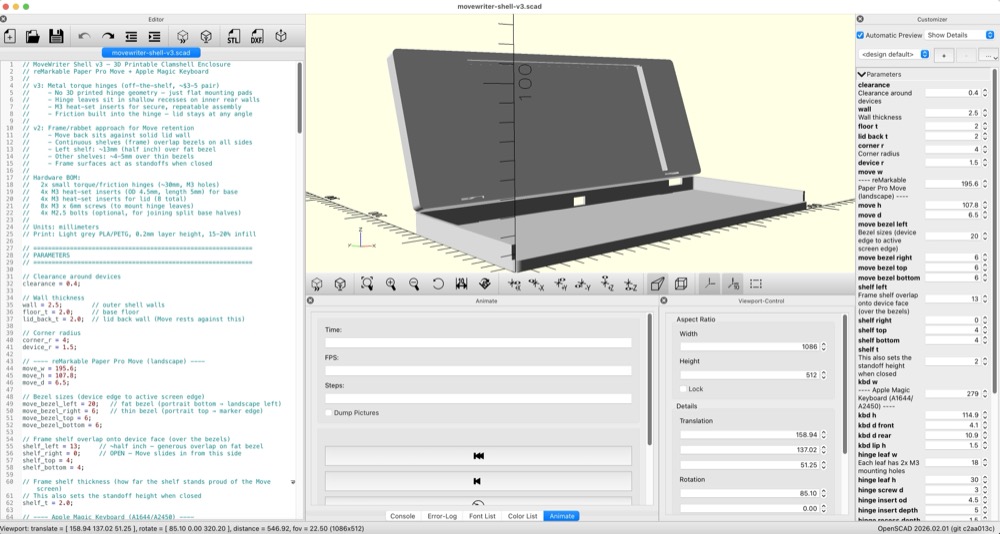
I know I could start sending CAD files to a 3D printing service and eventually get to a good product. But it's not how I work. I want to iterate many times, and quickly. Sending a file to a service and waiting a week to get it, just to find out it sucks in one little aspect, and doing that 50 times. . . not only would that get tedious but expensive.
The other piece of this puzzle is my kids have been wanting to get into 3D printing for a while, but of course they don't have any idea of how rigorous the process of designing can be. They might print a readymade figurine, which is fine, but to me that's not the spirit of 3D printing.
So I want to use this project as a way for them to see a real journey from idea to product. I want them to see the iterations, the work that will go into polishing the printed object, the design of the hinge, the packaging.
I want them to also see the connection between a website, or an app - e.g. code - and a physical product that is shipped to people who use it.
I think it's possible, hopefully. It'll take us a bit of time to save up for the 3D printer and supplies, but this is only the beginning of the journey.
If nothing else, I had a blast writing this blog post, using an old Apple Magic Keyboard (the one with a Lightning port), connected to the reMarkable Move. Something that wasn't possible a week ago.
But if this can become something even better, if the process can spark some entrepreneurial spirit in my kids, then it's going to be something that have lasting power far more than the couple weekends it took to build MoveWriter.